A companion app that lets blind and visually impaired players play
Blood on the Clocktower with more independence, without taking the
people out of the game.
Blind players, VoiceOver on iOS, TalkBack on Android
Storyteller
Player
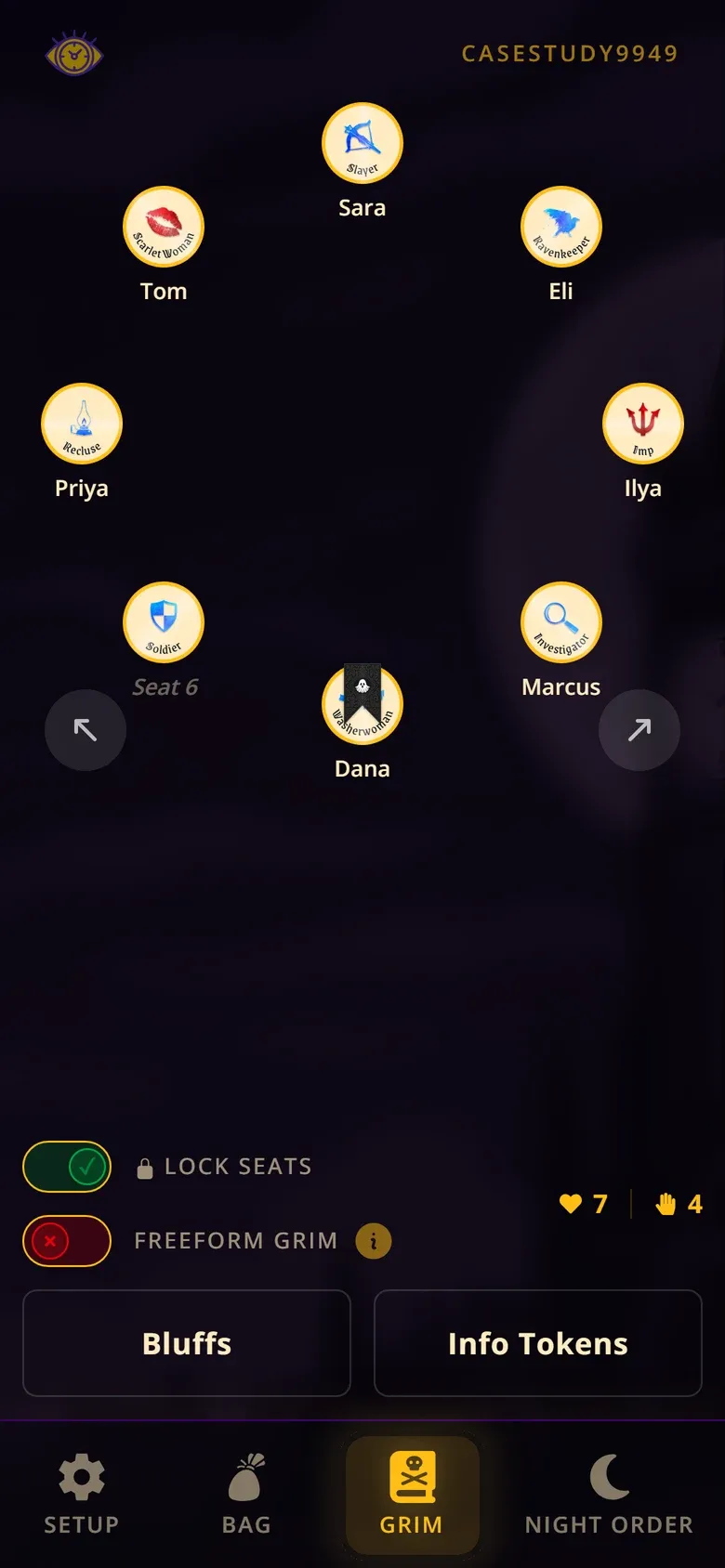
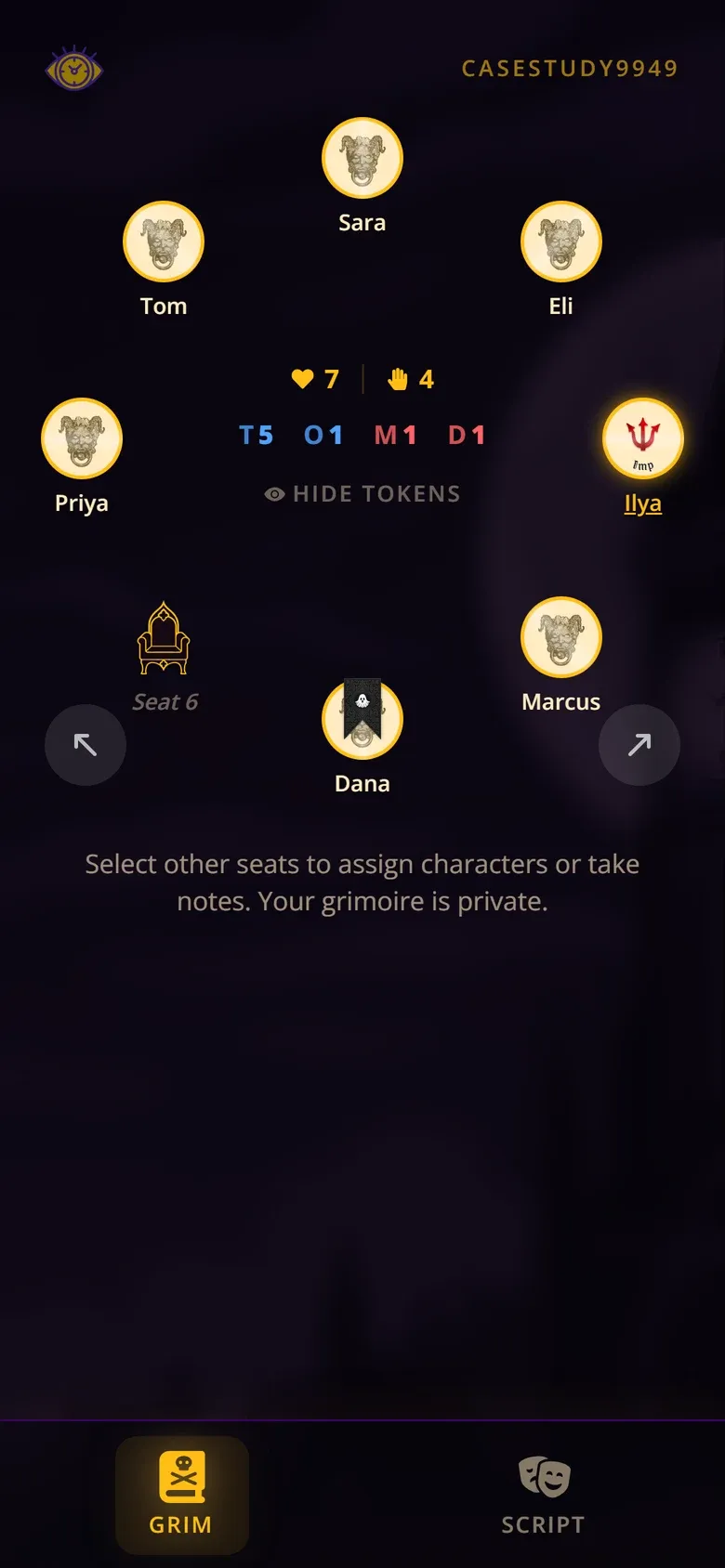
The Storyteller sees every character; each player sees only what's
theirs. Every screenshot on this page was captured from the running
app during a test game.
At a glance
The problem
Blood on the Clocktower is played by looking: at your token, at
the table, at the Storyteller's hand.
My role
Everything, alone: research, interaction and visual design, the
app and its real-time backend, and testing with blind players.
What I built
A companion for the whole table, with a version of the board you
can listen to and private night prompts on each player's phone.
What happened
Two blind players played a full game with it after usability
sessions with blind players. Both said the work was meaningful to
them.
A game you play by looking
Blood on the Clocktower
is a social deduction game for up to twenty people sitting in a circle.
A Storyteller runs it from the Grimoire, a board of tokens laid out in
the same circle. Players learn their secret character from a token, act
at night by pointing and nodding, and track who is alive by watching the
table.
The game publishes accessibility guidelines for blind and visually
impaired players. Most of the accommodations route information through
the Storyteller, who is already the busiest person at the table.
Reading those guidelines is where this project started.
How might blind and visually impaired players get more of the game
directly, without changing the social experience that makes it
special?
The principle I held the whole way through:
increase player autonomy without replacing human interaction.
The app should hand players what their eyes would have given them, and
leave the talking, lying and accusing to the people.
Blind players were the reason for the project from the start. I wanted
to build something the whole table would enjoy using, while giving
blind players more independent access to the game. So I built a strong
shared experience first, with accessibility in it from the very first
page, then went deep on the screen-reader interactions.
01
A circle you can listen to
In short: players hear the table as a list that starts
at their own seat and goes clockwise, so the person next to you is your
next swipe.
The Grimoire is spatial. Who sits next to whom matters, and a screen
reader flattens a circle of buttons into an arbitrary list. Before,
a screen reader met the circle's own seat buttons in page order,
starting at seat 1, with nothing to tell you which one was you.
Making each seat accessible was not enough. A blind player needed
the table itself.
Before: the circle's own buttons
“Seat 1 - Sara”
“Seat 2 - Eli”
“Seat 3 - Ilya”
“Seat 4 - Marcus”
and so on, from seat 1, with no “you”
After: a table that starts with you
“Ilya, seat 3, you, Imp”
“Marcus, seat 4”
“Dana, seat 5, dead”
“Empty seat 6”
and on around the circle, clockwise
The numbers show the spoken order. Swipe right from your own seat
and you hear your neighbours in the order they sit. The “before”
rows are the circle's old seat labels; the “after” rows come from
the app's accessibility tree.
So players get a second, invisible version of the board: a heading
that orients them, then one button per seat. The visual circle is
hidden from assistive tech, so nothing is read twice. It still works
by touch for low-vision players.
Player
The same screen, as a screen reader reads it, one swipe per line
Heading: “Game table, 8 players. Starting from you, going around the circle clockwise.”
“Ilya, seat 3, you, Imp”
“Marcus, seat 4”
“Dana, seat 5, dead”
“Empty seat 6”
“Priya, seat 7”
“Tom, seat 8”
“Sara, seat 1”
“Eli, seat 2”
Left: what a sighted player sees. Right: the accessibility tree
exported from that same screen.
Decisions that came from listening
Seat numbers, after all. I started with names only,
the way players talk about each other. Listening changed my mind: numbers
give a listener something to anchor on, and several rows of “Empty
seat” were impossible to tell apart.
Not a list. TalkBack announced “out of list, Game
table, 8 players” every time a prompt took focus away from a seat.
A heading and plain buttons read cleanly. I gave up “item 3 of 8” to
get that.
Only the exception is spoken. “Dead” is said; “alive”
is not. Rows stay short at a twenty-seat table.
One seat label, then and now
2025“Seat 0 - Sara”
June 2026“Sara, Empath, alive”
Now“Sara, seat 1, Empath”
Deep dive: all six versions of the seat label
Jun 2025“Seat 0 - Sara”My first label. Zero-based, and an empty seat stopped at “Seat 0 -”.
May 2026“Seat 1 - Sara” · “Seat 1 - empty”Counting from one, and empty seats say so.
Jun 2026“Sara, Empath, alive” · “Empty seat”The new table. Names only, the way players refer to each other.
Same evening“Empty seat 1”Five identical “Empty seat” rows were impossible to tell apart.
Jul 2026“Sara, seat 1, Empath”Numbers on every row give a listener an anchor. “Alive” is the default, so it went silent.
Sep 2026“Kate, seat 3, empty”The Storyteller can name an empty seat for a player who has no phone.
02
Testing at the table
I tested on real phones throughout with VoiceOver and TalkBack. Most
of the decisions on this page came out of those passes, where the two
screen readers often wanted opposite things.
Then I ran focused usability sessions with blind players, and finally
two blind players played a complete game with the app. The full game
mattered most, because it showed problems no isolated screen ever
would.
Observed
Blind players ran into problems I hadn't caught testing on my own.
The full game surfaced barriers outside the app, like voting.
Changed
I changed the app based on what players ran into in the sessions.
The screen-reader structure covered on this page came out of my
VoiceOver and TalkBack testing.
Validated
Two blind players played a complete game with the app. Their
feedback was positive throughout, and both said the work was
meaningful to them.
Unresolved
Night prompt wording still needs tuning with blind players, and a
blind Storyteller isn't supported yet.
The finding that wasn't about software
The clearest one was voting. When a player is nominated, the
Storyteller moves a hand around the circle, counting raised hands.
Sighted players see who voted. A blind player gets only the total, and
in this game who voted is strategic information.
The fix we found was spoken, not built: the Storyteller says each
player's name and their vote as the hand passes, then the total. It
takes a little longer, and it gives blind players the same picture of
who voted that sighted players get by watching. The official
guidelines recommend the same thing; playing a real game showed why it
matters.
Not every accessibility problem needs software. Sometimes the right
design is a sentence the Storyteller says out loud.
03
Night prompts: a teleprompter, not an oracle
In short: the Storyteller sends one player a private
prompt; the player answers on their phone with a screen reader; the app
never decides the answer.
At night, players wake one at a time and act by pointing and nodding
with the Storyteller. A blind player can't see where the Storyteller
is pointing, or point back without help.
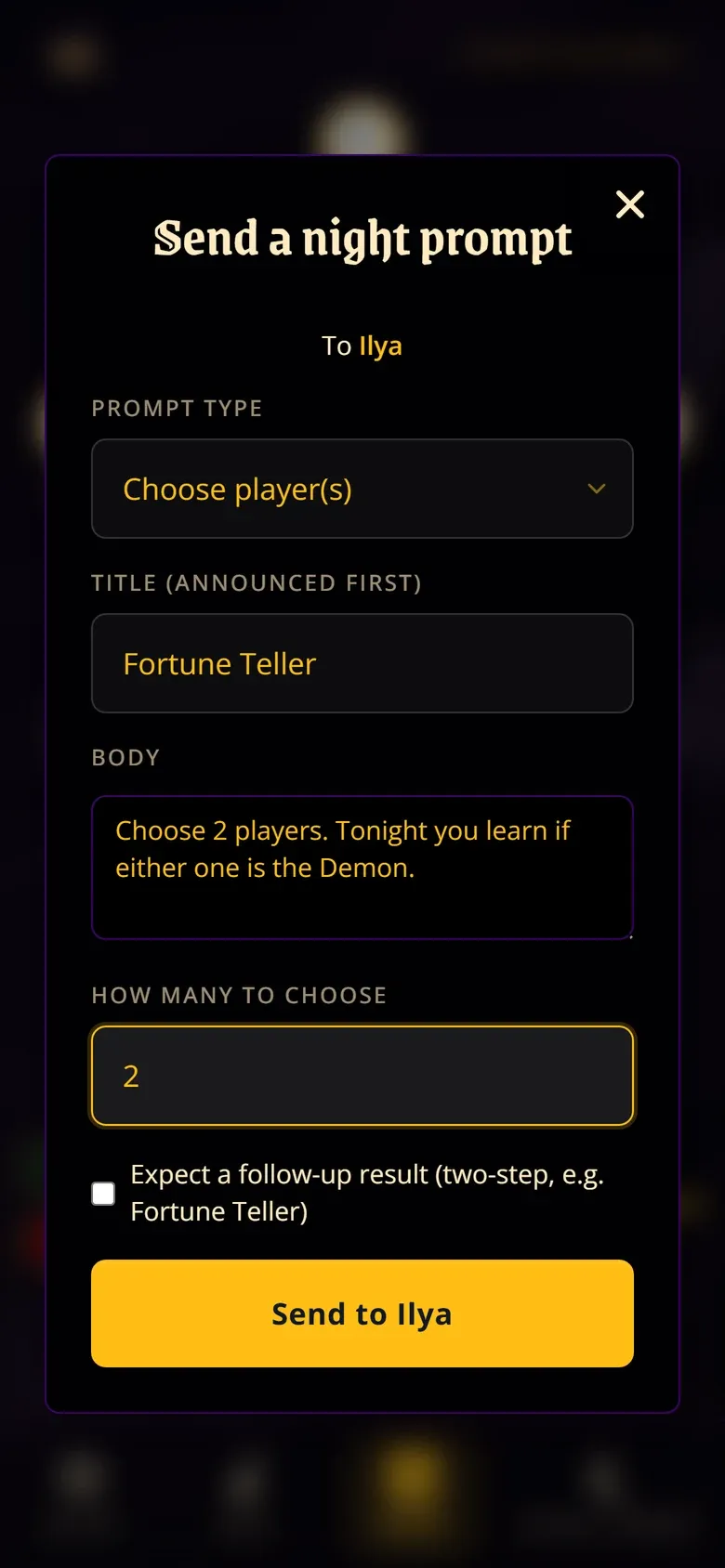
Night prompts give the Storyteller a private channel to one player's
phone. The phone takes focus, reads the instruction, and offers
simple controls: pick a player, pick several, pick a character,
answer yes or no. Nothing is sent until the player confirms, and
when the Storyteller closes the prompt its content is destroyed on
the server.
The key decision was what the app should not do. It never works
out the answer. In this game the Storyteller is allowed to lie to a drunk
or poisoned player, so the truth lives with them. The app pre-fills a
sensible prompt from the character, and the Storyteller edits it before
sending.
Storyteller
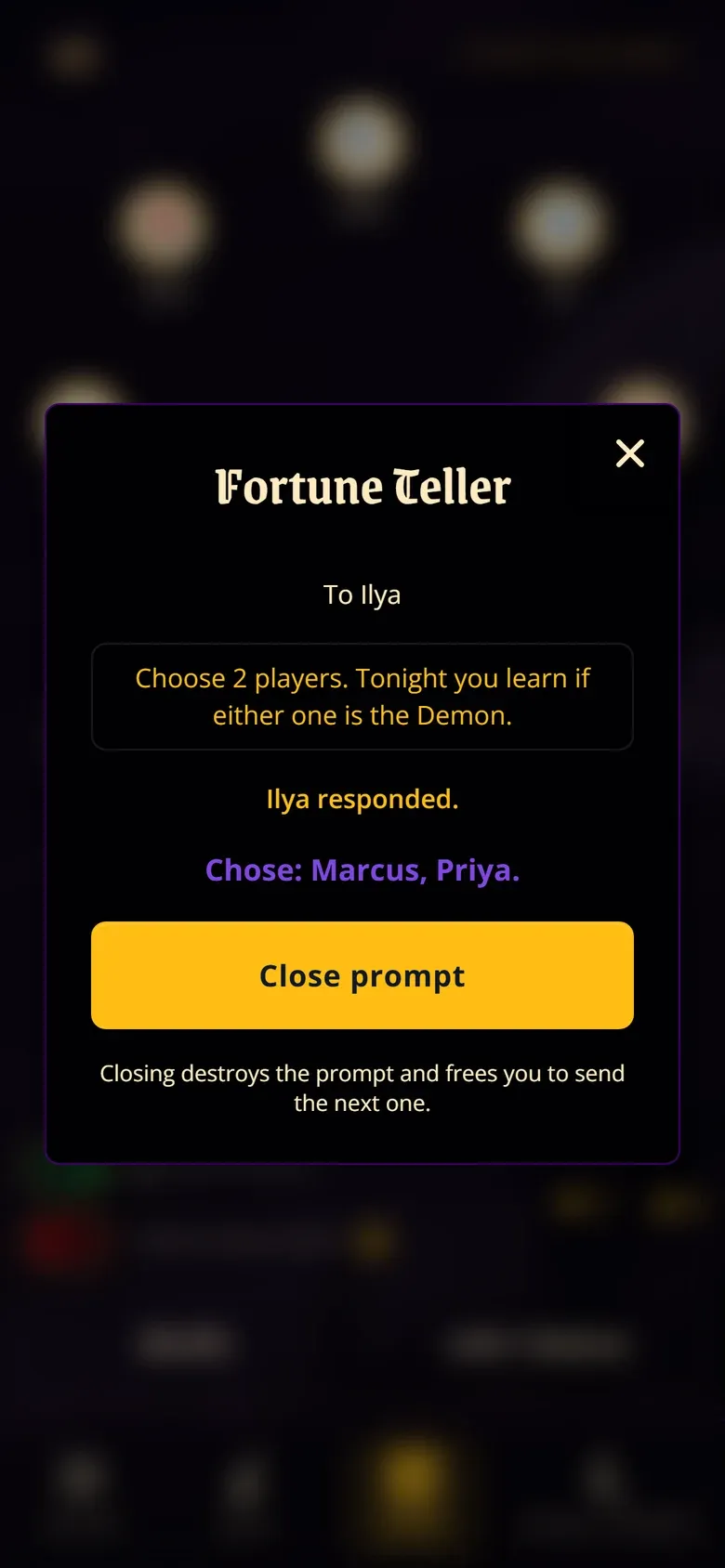
Picks a seat, edits a pre-filled prompt, sends it.
Player
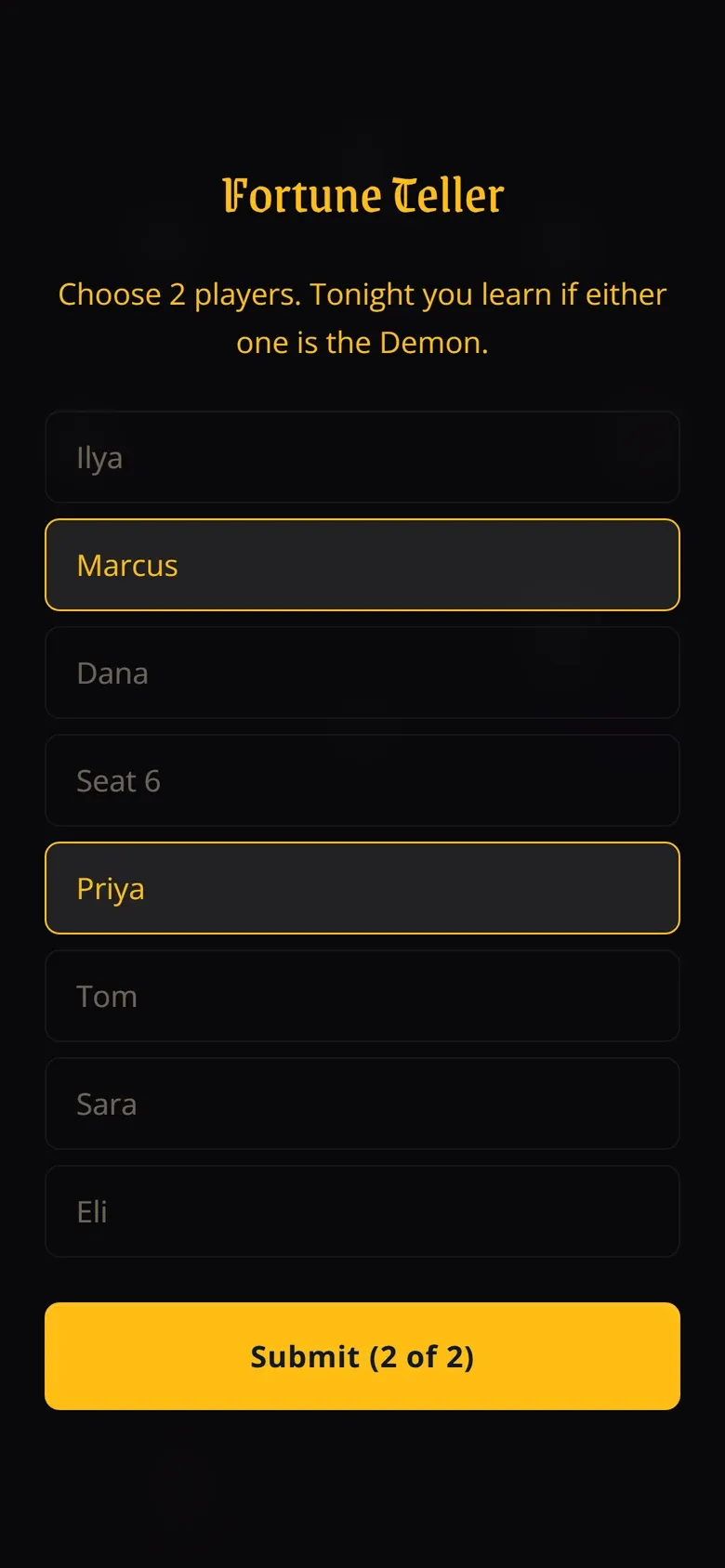
Focus lands on “Fortune Teller”. Players are listed from them,
clockwise.
Player
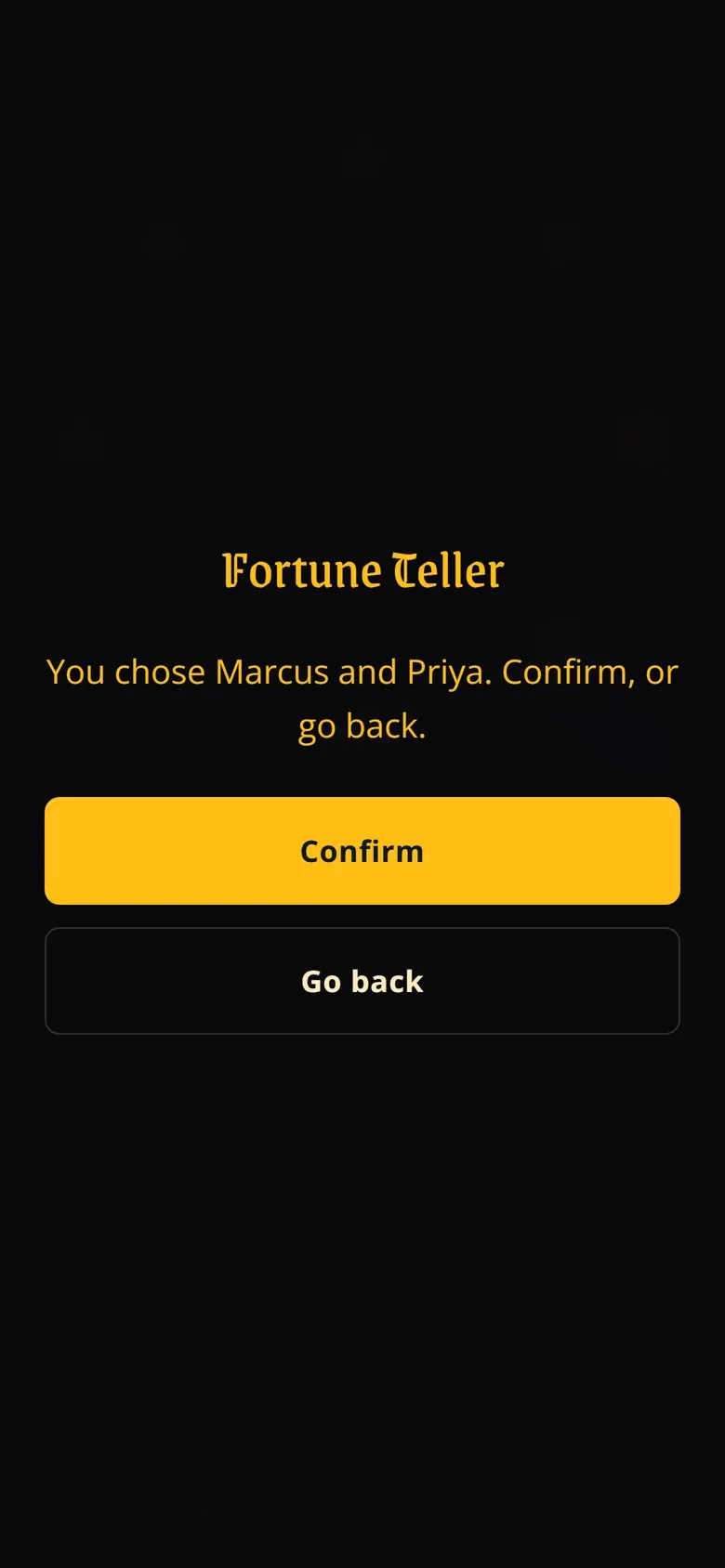
Hears “You chose Marcus and Priya. Confirm, or go back.”
Storyteller
Sees the answer, responds truthfully or not, and closes.
Status: working end to end, with backend tests that check who can read
which prompt. The wording still needs tuning with blind players.
After: radio-group semantics on custom buttons, so the screen
reader announces the role and the selection itself. The keyboard
follows the WAI-ARIA radio pattern: the group is one Tab stop
and the arrow keys move and select. Swipe-based screen readers
still reach every option.
A filter, not a combobox. Picking a character from
a whole script uses a text filter above grouped radio buttons. A combobox
popup is one of the most fragile patterns across screen readers, and
this reads the same while breaking less.
Prompts start from a seat, not a role. I first let
the Storyteller launch prompts from the night order, then removed it.
A night-order row is a character, and two players can hold the same
one.
My tests passed on fake data. The Spy sees the whole
Grimoire, read row by row. It was reading reminder tokens as raw IDs
like “imp-Dead”, and my unit tests missed it because I had fed them
clean labels that never occur in real data. Now a row reads “Seat 3,
Eli is Washerwoman, has reminder: Drunk”, and the tests use the real
shape.
04
Designing for silence
In short: the app stopped narrating the game. It speaks
once, when you act, and the Storyteller narrates events.
My first builds announced everything: deaths, people joining, the
vote count, every tab change. On real phones that turned into noise.
The best thing a screen reader can say is often nothing.
Before: closing a dialog
The alive and votes summary, about three times over
A stale “Bob has died.”, again
Whatever control was nearby, like “Hide Tokens”
After
“Grimoire”
What testing on VoiceOver and TalkBack turned up, paraphrased from
my notes. Now the night prompt and character reveal land on the
Grimoire when they close; other dialogs return focus to the button
that opened them.
I wrote a rule for the whole app: it announces nothing on its own. Game state is there when you look for it, and the Storyteller narrates
events, as they already do. The few things that must speak now speak
once, from a heading that takes focus.
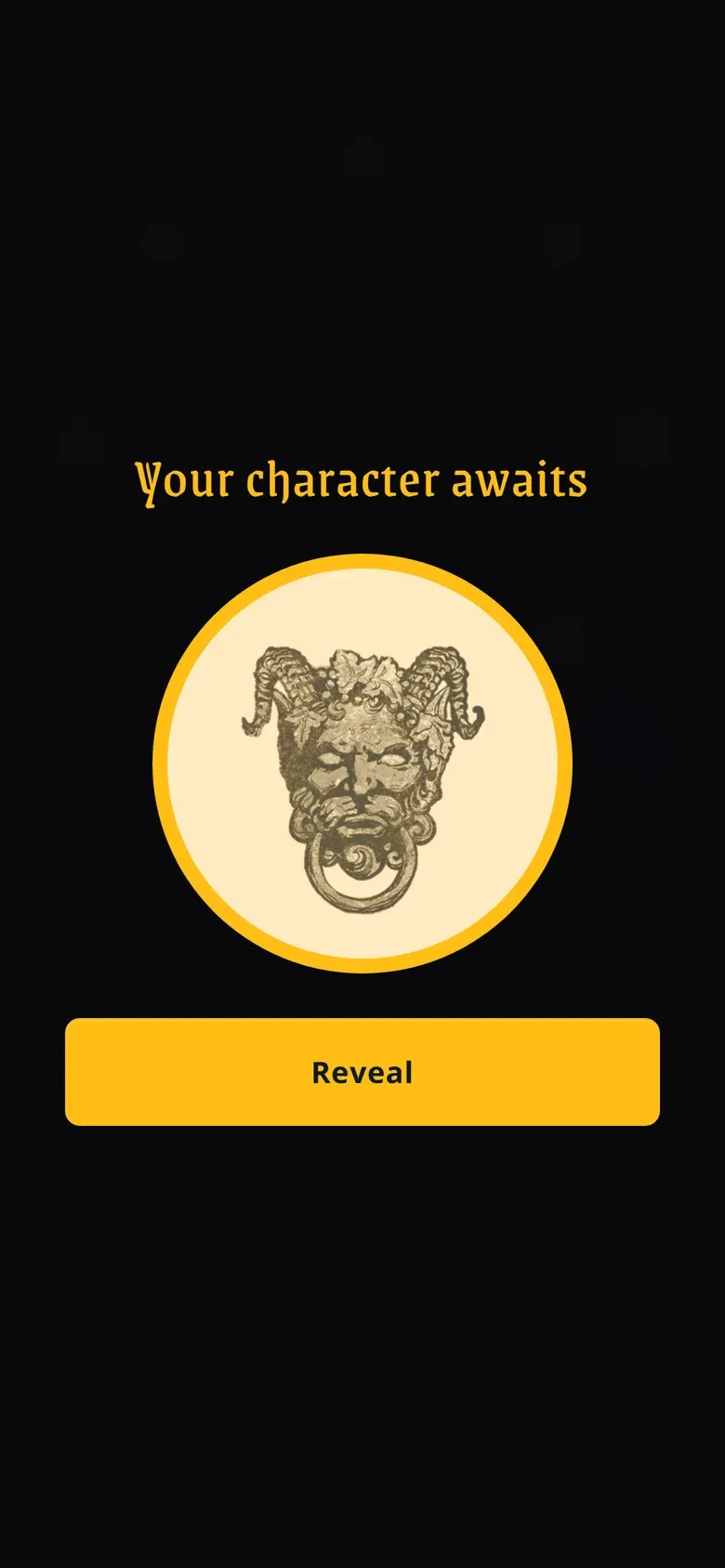
Player
Focus lands on the heading
“Your character awaits.”
Swipe once
“Reveal, button”
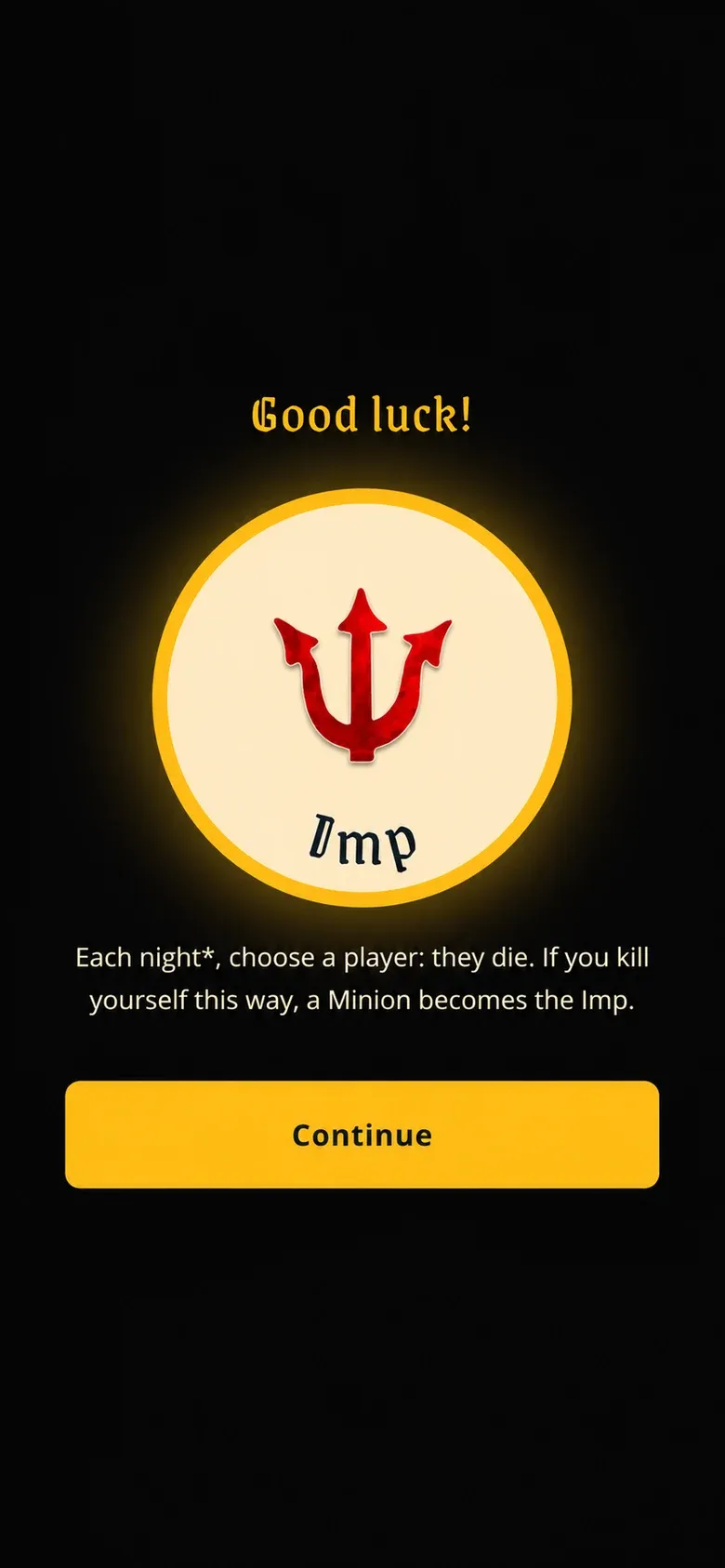
Player
Focus lands on the heading
“Good luck. Your character is Imp. You are a Demon. Each night*,
choose a player: they die. If you kill yourself this way, a
Minion becomes the Imp.”
Swipe once
“Continue, button”
The character reveal, with the headings taken from the app's
accessibility tree. The coin-flip animation is hidden from assistive
tech, so the character is never spoken before the player chooses to
reveal it. “You are a Demon.” is there because team is otherwise
shown only by the token's colour.
Two screen readers, opposite needs
Underneath every overlay is one shared dialog hook. Getting it right
meant learning that VoiceOver and TalkBack needed opposite things:
one afternoon I removed a fix, then put it back 29 minutes later.
What each screen reader needed from a dialog
Behaviour
VoiceOver (iOS)
TalkBack (Android)
Page behind the dialog
Re-read it when aria-hidden was removed on close
Swiped out into it unless aria-hidden was set
Other trouble
Read a live-region announcement twice
Said “out of list” whenever a prompt pulled focus from the
seat list
What worked for both
Hide the background with inert and
aria-hidden, keep it free of live regions, and
place focus on purpose when the dialog closes.
Deep dive: the afternoon, step by step
An automated design review I ran flagged the base modal as the
least accessible component in an app built for blind players. That
started it.
Jun 17One shared dialog hook replaces four drifting overlays: focus in, focus back out, Escape, Tab trap, scroll lock.
Jun 26, 13:39The page behind a dialog becomes inert and aria-hidden, because a Tab trap does nothing for swipe navigation.
13:59Hide the background before moving focus, or the screen reader narrates focus leaving the page.
16:27Drop aria-hidden. Removing it on close made iOS VoiceOver re-read the page behind.
16:56Put it back. Without it, TalkBack's cursor swiped straight out of the dialog. Fix the VoiceOver re-read somewhere else instead.
Jun 27Every overlay hides the background first, then takes focus, then returns focus to a chosen landmark on close.
 * (5) is the part a plain Tab-trap can't do: VoiceOver/TalkBack browse-mode
 * navigation ignores keyboard focus traps, and `aria-modal="true"` is honored
 * inconsistently (notably iOS VoiceOver). `inert` blocks focus/pointer and
 * removes the background from the a11y tree — but **TalkBack's virtual cursor
 * does not reliably respect `inert` alone**, so without `aria-hidden` the
 * Android cursor can still swipe out of the dialog into the page behind it. We
 * therefore set BOTH.
From the hook's documentation. I wrote down each platform tradeoff
in the code, so the next change doesn't undo it.
Deep dive: small details that changed how it sounded
Headings, not live regions. Live regions read twice
on iOS, and descriptions re-read on every press. Moving focus to a
heading reads it once, in order.
One string, one breath. VoiceOver reads text split
across several nodes as stilted fragments. The strings written for
screen readers became single template strings.
Labels only where they work. An aria-label on a plain
div was silently dropped, so summaries became real visually hidden
text.
Land somewhere on purpose. Closing an overlay that
appeared on its own moves focus to the Grimoire, instead of reading
out whatever button happened to be nearby.
05
A look the whole table wants
Accessible doesn't have to mean plain. I wanted an app everyone at
the table enjoys opening, so I gave it a visual language that
feels like the game itself: dark and ceremonial, with the
information you need lit in gold.
Two voices. Gold carries information and the player's
actions. Violet is reserved for the Storyteller's authority. No other
colour carries meaning.
Ceremony in the headings, clarity in the text.
A blackletter face for headings, a plain humanist sans for everything
you actually read.
A legibility floor. Body text never below 16px,
touch targets at least 44px, motion reduced when the system asks,
and colours defined in OKLCH with fallbacks for older browsers and
smart TVs.
Restraint. No parchment textures, scrollwork, neon
or particles. The atmosphere comes from type, spacing and darkness.
I wrote the system down as a design doc with named rules, then
built it as Tailwind theme tokens and a small set of shared
components, so every new screen follows it without a debate.
Storyteller
Storyteller
Colour tokens
Ink--color-bgPage background
Gold--color-foregroundInformation, primary action
Soft gold--color-foreground-softBody text
Vivid gold--color-foreground-vividPrimary hover
Violet--color-accentStoryteller actions
Light violet--color-accent-lightAccent focus ring
Type
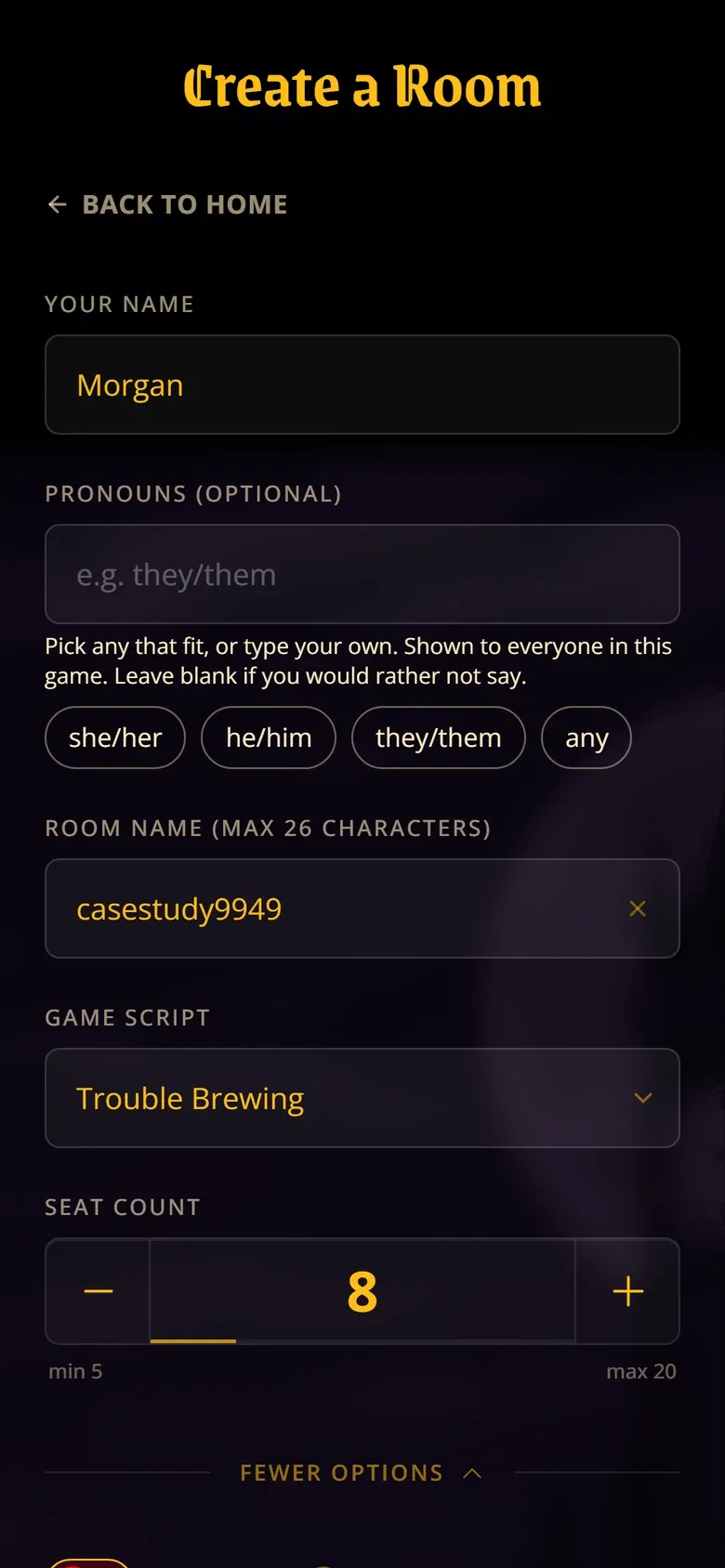
Create a Room
Grenze Gotisch 600, headings only
Select other seats to assign characters or take notes. Your
grimoire is private.
Open Sans 400, body never below 16px
Buttons and focus
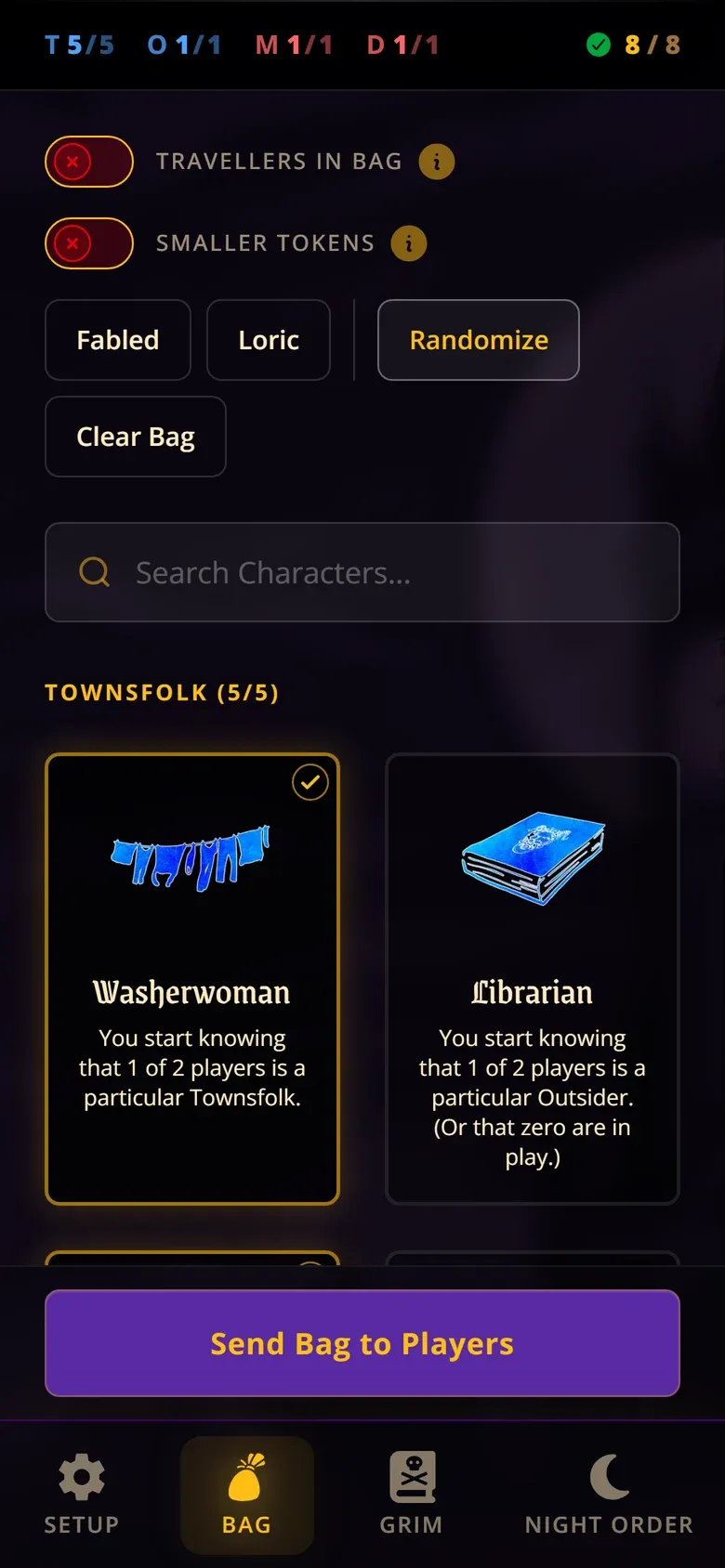
ContinueSend Bag to PlayersGo backReveal
Primary (gold), accent (violet, Storyteller actions), ghost, and
a keyboard focus ring: 2px, offset 2px, in a colour drawn from
the button's own voice.
Selection
IlyaMarcusDana
Radio and checkbox semantics on large cards. The checked state
changes the border, fill and text, not just the colour.
A specimen rebuilt from the app's production tokens (globals.css) and component styles (Button,
RadioCardGroup). The samples are pictures of controls,
not working controls.
06
Real time, with secrets
In short: every phone sees the same game the instant it
changes, and other players' secrets stay off it.
Players sometimes never received their character, because the message
arrived before their phone was listening. I moved the real-time layer
from a self-hosted Colyseus server to Convex, incrementally, and
deleted 1,371 lines in a day. With subscriptions, a phone that
connects late still gets its role.
One leaked character ruins a game. Roles live in their own table, and
a phone looks up its role with its own device ID. Public queries strip
those IDs out, so one player has nothing to look another up with. The
Storyteller's draft assignments stay on their device until they press
Send.
Reviewing the architecture, I found that the room query was sending
the Storyteller's secret token to every client. Anyone with developer
tools could have read every role. I fixed it by returning a public
projection of the room, and added a test that fails if either secret
ever comes back. Later I found the same kind of leak in night prompts,
where the player list carried other players' IDs, and closed it the
same way.
There is no login, on purpose. A sign-up screen is a barrier for
someone who just wants to join the game at the table, and more so with
a screen reader. Instead, each phone gets a random ID, the
Storyteller's phone also gets a host token, and every Storyteller
action checks that token. That limits what reaches each phone. It
doesn't prove who is holding it: anyone who got hold of another
phone's ID could read that player's role. That's why keeping those IDs
out of every query matters so much.
Deep dive: the fix
// Public projection: hostToken gates every host query/mutation, and
// hostUserId would let anyone call getMyRole as the host. Neither may
// ever reach a client. Hosts prove identity via verifyHostToken below.
const { hostToken: _hostToken, hostUserId: _hostUserId, ...publicRoom } =
  room;
return publicRoom;
Smaller decisions
Tap to move, not just drag
Rearranging seats needed a long press and a drag. I added a move
mode with real buttons for each destination, and Escape to cancel,
so it works by keyboard and screen reader.
Problems before the button, not after
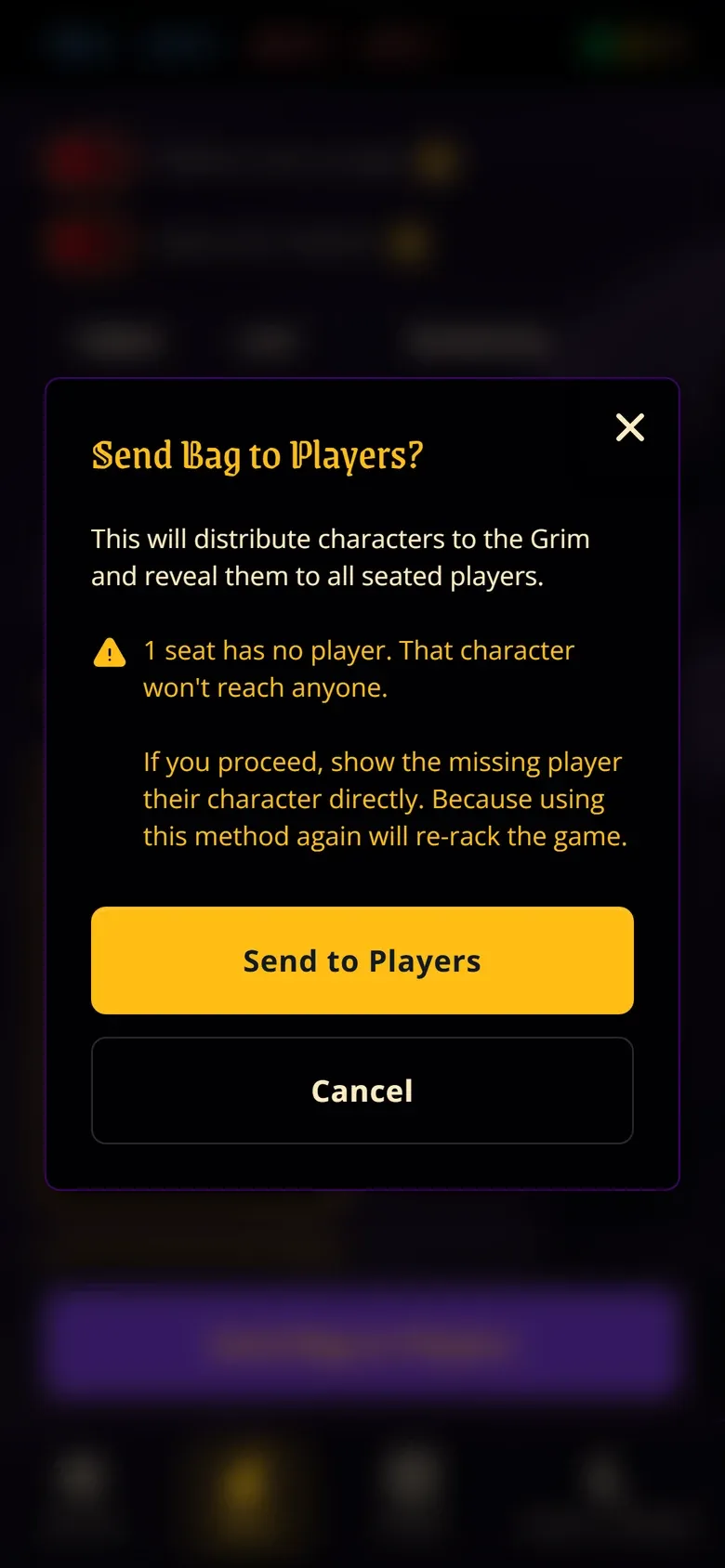
Sending characters used to fire error toasts after the press. Now
a confirm dialog lists blockers and warnings first, and Send stays
disabled until the blockers are fixed.
Storyteller
Working with AI
I was the only person on this project, and I worked with AI agents as
collaborators throughout. They helped me prototype interaction
patterns, compare technical approaches, run design and accessibility
reviews, and implement and debug features. Some larger pieces, like
the first version of the night prompt engine and its starter copy,
were built by agents working from specs I wrote.
The product direction, the design decisions and the validation stayed
with me. An AI review can tell you a modal is missing a role. It can't
tell you that TalkBack escapes a dialog that VoiceOver contains, or
that voting needs a spoken ritual. That came from phones in hand and
blind players at the table.
What worked
A real-time multiplayer companion that works end to end, live at
allattheclocktower.com.
Testing that held up at a real table: focused sessions with
blind players, then a complete game with two of them.
Saying less. Cutting automatic announcements removed the
repeated and stale speech that testing turned up.
Knowing when not to build. Voting became a spoken practice, not
a feature.
What's next
A blind Storyteller. The listening version of the Grimoire
is for players. The Storyteller still uses the visual circle.
More time with blind players. More sessions and more
full games, to keep finding what only real play reveals, like the voting
ritual.
Accounts, only if they earn their place. Some future
features may need them. Until then, joining a game takes a room name
and your name, nothing more.